
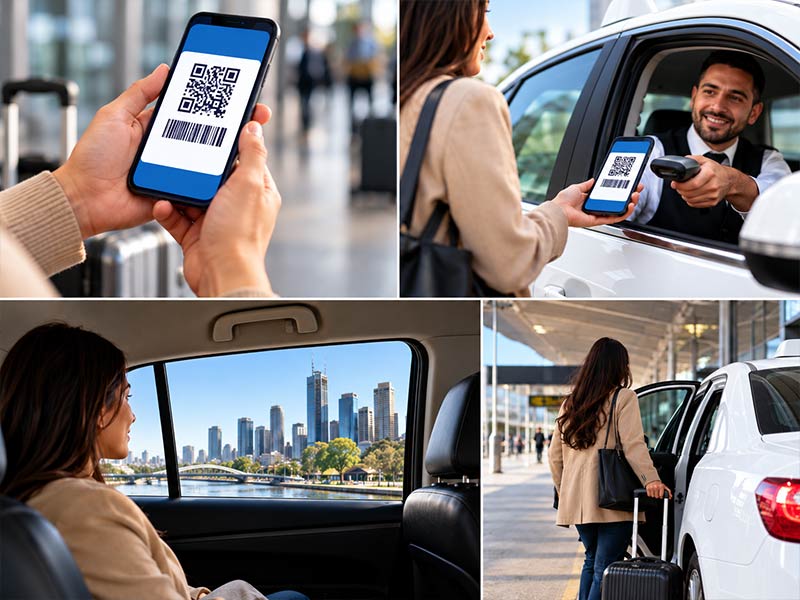
Quick answer: Here is how to use Cabcharge in a taxi. First, tell the driver you will pay by Cabcharge before the trip starts. At the end, tap your eTicket or card on the in-car terminal, or hold your phone near it if you use the Digital Pass. Wait for the beep, keep your receipt, and you are done. If the fare is above your limit, pay the difference another way.
Cabcharge makes taxi travel easy for businesses, NDIS participants and government staff. Yet many people only use it a few times a year. As a result, they forget the steps, especially with newer products like the Digital Pass. This guide shows you how to use Cabcharge step by step, whether you have an eTicket, a card, a Digital Pass or an old paper voucher.
Before You Travel: Three Quick Checks
Good preparation prevents most payment problems. So, before you book your taxi, check these three things:
- Your product type. Is it a card, an eTicket or a Digital Pass?
- Your fare limit. eTickets and Digital Passes often have a maximum fare per trip.
- The expiry date. A Digital Pass expires after 12 months unless your employer sets another date.
Also, confirm the taxi accepts Cabcharge. Almost all licensed taxis do. See our guide on which Melbourne taxis take it for details.
Using an eTicket
The eTicket is a single-use card for one trip. It does not need a phone or an app. According to Cabcharge’s official eTicket page, you use it like this:
- Tell the driver you will pay with an eTicket before the trip begins.
- At the end of the trip, tap the eTicket on the in-taxi payment terminal.
- Tear the card along the perforation.
- Keep the small passenger stub and give the larger part to the driver.
- Ask the driver for a receipt.
Remember, each eTicket works for one trip only. Therefore, if you need a return trip, you need a second eTicket.
Using the Digital Pass
The Digital Pass lives in your phone wallet. It is ideal if you prefer not to carry cards. Here is how it works:
- Receive the pass. Your employer sends it to you by SMS or email.
- Save it. Open the link on the phone you will travel with. Then add the pass to Apple Wallet or Google Pay.
- Ride. Tell your driver how you will pay.
- Pay. At drop-off, hold your phone near the payment terminal and wait for the beep.
- Check your receipt. The trip details also appear in your employer’s account.
Digital Pass Tips
- The pass needs mobile data, so check your connection first.
- On Android, Google Pay must be your default payment app.
- Samsung Pay does not support the pass.
- One pass can cover up to 32 trips, depending on your employer’s settings.
For the full details, visit the official Cabcharge Digital Pass page.
Using a Card (Fastcard)
The card, often called a Fastcard, is reusable. It works much like a bank card. First, tell the driver how you will pay. Then, at the end of the trip, tap or insert the card in the terminal. Some cards also need a PIN. Finally, take your receipt for your records.
In addition, some taxi apps let you add the card as a saved payment method. However, always confirm the driver accepts it, especially for a long airport trip.
What About Old Paper Vouchers?
Paper vouchers were once the most common way to pay. Today, they have largely been replaced by eTickets and digital options. If you still hold a paper voucher, check with the account holder first. They can confirm whether it is still valid and how much it covers. In most cases, your employer will issue an eTicket or Digital Pass instead.
Common Problems and Quick Fixes
| Problem | What to do |
|---|---|
| Fare is above your limit | Pay the difference with a bank card or cash |
| Digital Pass will not load | Turn on mobile data and reopen the wallet |
| Terminal is not working | Ask the driver to restart it, or use another payment |
| eTicket is declined | Check the expiry date and travel hours with your employer |
| You lost the receipt | Your employer can see the trip in their account |
How to Use Cabcharge for an Airport Taxi
Airport trips are often longer than city trips. As a result, the fare may be close to your limit. Before you book, check the typical taxi cost to Melbourne Airport. Then tell us your payment method when you book. Your driver will arrive ready, and you can relax.
We accept Cabcharge on all our services, including our Melbourne Airport transfers, Avalon Airport taxis and maxi cabs. For more on the service, see our Cabcharge taxi page.
Book Your Cabcharge Taxi Today
Now you know how to use Cabcharge with every product. To book, use our online booking form or call 0480 160 825. We run 24/7 across Melbourne and Geelong.
Frequently Asked Questions
How do I use a Cabcharge eTicket?
Tell the driver you will pay by Cabcharge, then tap the eTicket on the terminal at the end of the trip. Tear off and keep the small stub, give the larger part to the driver, and ask for a receipt.
How does the Cabcharge Digital Pass work?
Your employer sends the pass by SMS or email. You add it to Apple Wallet or Google Pay, then hold your phone near the taxi’s Cabcharge terminal to pay.
Can I still use a Cabcharge paper voucher?
Paper vouchers have largely been replaced by eTickets and digital passes. Check with the account holder to confirm whether your voucher is still valid.
What if my taxi fare is more than my Cabcharge limit?
You pay the difference with another payment method, such as a bank card or cash.
Do I need the internet to use Cabcharge?
The Digital Pass needs mobile data. The Cabcharge card and eTicket do not need a phone or the internet.
